


Professionally designed wedding invitations typically run several hundred dollars for a hundred guests, and that’s before postage. DIY wedding invitations can cut that cost significantly while giving you full creative control — but only if you go in with a realistic plan, since paper crafts have a way of taking far longer than expected.
Quick Summary: DIYing wedding invitations means choosing a design tool, picking quality paper, and building in time for printing, assembly, and mistakes. It’s most worthwhile for guest lists under 100 and couples comfortable with basic design software — for larger or more elaborate suites, semi-custom templates offer a useful middle ground.
This guide walks through the realistic steps, the tools that make it easier, which 2026 design trends translate well to a DIY budget, and where it’s worth spending a little more rather than cutting corners.
Editor’s Note: We underestimated assembly time by a wide margin the first time around. Designing and printing took an afternoon; folding, stuffing, and sealing 80 envelopes by hand took three evenings. If you’re planning to DIY, building in extra time for assembly — not just design — will save you from a stressful week before invitations need to go out.
Is DIYing Your Wedding Invitations Actually Worth It?
The honest answer depends on your guest list size and how much you enjoy hands-on craft projects. For smaller weddings, under about 100 invitations, DIY can meaningfully cut costs and feel like a genuine creative outlet. For larger guest lists, the time investment scales up considerably, and a semi-custom template — professionally designed but personalized with your details — often gives a similar handmade feel with far less labor.
It’s also worth deciding upfront whether you want fully printed invitations, a digital invitation with a smaller printed keepsake batch for close family, or a hybrid approach. Many couples in 2026 are combining a complete digital invitation with RSVP functionality for most guests, alongside a simple printed version for guests of honor — a practical way to control both cost and workload.
What You’ll Need to DIY Your Invitations
- Design software: Canva, Adobe Express, or similar tools offer wedding-specific templates that are genuinely beginner-friendly
- Quality paper stock: Aim for 100lb cardstock or heavier; thin paper is one of the fastest ways an invitation reads as homemade in the wrong sense
- A reliable printer or print-on-demand service: Home printers work for smaller batches; online print services often deliver more consistent results for 75+ invitations
- Envelopes and liners: Coordinating envelope liners add a polished detail without much extra effort
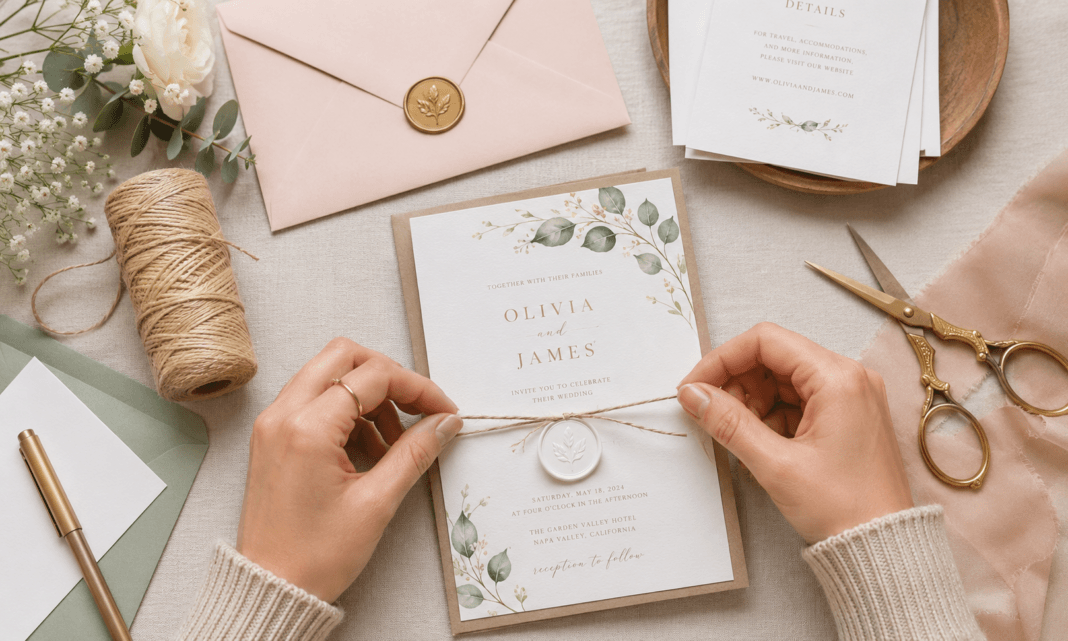
- Finishing touches: Wax seals, ribbon, or a vellum wrap, used selectively rather than all at once
How to DIY Your Wedding Invitations — Step by Step
Step 1 — Choose your overall design direction first. Before opening any design software, decide on a color palette, a shape (standard rectangle, arch, or a die-cut style), and a general mood — minimal, botanical, or typography-led. Having this settled before designing prevents the scope creep that turns a weekend project into a month-long one.
Step 2 — Build your design in stages, not all at once. Start with layout and text hierarchy — names, date, and venue should be the most prominent elements — before adding decorative details like borders or illustrations.
Step 3 — Order a physical proof before printing the full batch. Colors and spacing often look different on paper than on a screen. A single test print can catch sizing or color issues before they multiply across 100 invitations.
Step 4 — Print in batches if using a home printer. Printing 20 to 30 at a time, rather than all at once, makes it easier to catch a paper jam or ink issue before it affects the entire run.
Step 5 — Assemble with extra time built in. Folding, stuffing envelopes, adding inserts, and sealing takes longer than most people expect — plan for several short sessions rather than one long one.
Step 6 — Address envelopes early. Whether handwritten, calligraphy, or printed labels, addressing is its own time-consuming step. Starting this before invitations are even finished printing can help you stay ahead of your mailing timeline.
Editor’s Note: A question we hear often is whether a home printer is good enough for a polished result. For most paper weights and simple designs, yes — but metallic foil effects and certain deep colors print more reliably through an online print service. If your design leans heavily on foil or a very dark background, it’s worth pricing out a small batch through a print service before committing to printing the full run at home.
2026 Design Trends That Work Well for DIY
Clean, Typography-Led Layouts
Pared-back serif fonts with generous negative space are both on-trend and genuinely achievable with template-based design tools, since the focus stays on text hierarchy rather than complex illustration work.
Earth-Toned Palettes
Terracotta, sage, dusty olive, and warm cream tones are replacing cooler grey-and-blush combinations this year, and they tend to translate well through standard home or online printing without needing special foil or metallic effects.
Simple Botanical Accents
A single line-illustrated branch or a subtle floral border adds a hand-finished feel without requiring advanced design skills — many template platforms include ready-made botanical elements that can be customized to your palette.
Wax Seals and Ribbon
These finishing details add a layered, intentional feel and are some of the easiest premium touches to add yourself, since they’re applied after printing rather than requiring any design or printing skill at all.
Who DIY Wedding Invitations Are Best For
Best for: guest lists under about 100, couples comfortable with basic design software, those wanting a more personal or budget-conscious stationery suite, and anyone with several months of lead time before invitations need to be mailed.
Less ideal for: very large guest lists where assembly time becomes a significant burden, intricate die-cut shapes or foil-heavy designs that are difficult to replicate without professional equipment, and couples with limited time before their mailing deadline.
If you’re drawn to a more elaborate design but don’t have the time or tools to DIY it fully, a semi-custom template — professionally designed but personalized with your own details and colors — is a realistic middle ground worth considering.
Frequently Asked Questions About DIY Wedding Invitations
How much can DIYing wedding invitations actually save?
Professionally printed invitation suites often run between $200 and $500 for around 100 invitations including design and printing, while a DIY approach using templates and home or online printing can bring that cost down considerably, depending on paper and finishing choices.
How far in advance should I start designing my invitations?
Since searches for wedding invitations tend to peak six to eight months before a wedding, starting your design process in that window gives enough time for revisions, proofing, printing, assembly, and mailing without feeling rushed.
Can I DIY invitations if I’m not good at design?
Template-based tools are built specifically for this — most require choosing a layout and customizing text and colors rather than designing from scratch, which makes a polished result achievable without formal design experience.
Should I do digital invitations instead of DIYing printed ones?
Many couples now combine both: a complete digital invitation with RSVP functionality for most guests, paired with a small printed batch for close family or guests of honor — a practical way to balance cost, convenience, and a tactile keepsake.
Final Thoughts: Personal Over Perfect
The appeal of DIY wedding invitations isn’t just the money saved — it’s the chance to make the first piece of your wedding that guests actually hold in their hands something genuinely yours. A realistic timeline, the right paper, and one or two well-chosen finishing details will get you a polished result without needing professional design experience.
Save this guide, start your design this week, and explore more wedding planning tips at egella.com